Guides
Retool Reorder Pages Not Working: Fix & Workarounds
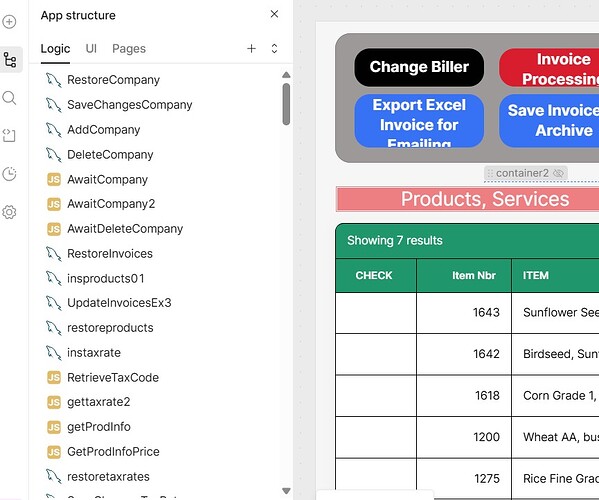
If you've been trying to reorder pages in Retool using drag and drop in the left sidebar and nothing happens, you're not alone — and you're not missing a setting. Retool intentionally disabled page reordering via drag and drop because the changes were never actually persisted beyond the current browser session. Until a proper fix ships, you'll need a workaround. This guide explains exactly what happened and how to sort your Retool app's navigation pages today.
Why Retool Page Reordering Stopped Working
The drag-and-drop interface for reordering pages in Retool's left sidebar was removed on purpose. According to Retool's own team in the community forum, the feature was never fully functional — any reordering you did only applied to your local client session and was not saved or persisted to the app itself. Other users would see the pages in their original order. To prevent confusion, Retool fully disabled the drag-and-drop handler until the underlying persistence issue is resolved.
The bottom line: this is a known limitation, not a bug you can fix in your settings or browser. As of mid-2025, Retool has confirmed there are no imminent plans to re-enable the feature, so you'll want to implement one of the workarounds below rather than waiting for a fix to ship.
What Actually Controls Page Order in Retool?
Page order in a Retool app's navigation panel is driven by retoolContext.pages — a built-in array that lists all the pages in your app. The order of items in this array determines the order they appear in the nav. Since you can't reorder them by dragging the sidebar, you need to manipulate this array directly at the point where you're rendering navigation.
It's also worth distinguishing between two separate (and commonly confused) issues that come up in this topic:
- Page reordering: Sorting the pages visible in the app's top or side navigation panel — driven by
retoolContext.pages. - Query/Logic sidebar sorting: Sorting the list of queries in the Logic sidebar alphabetically. This is a separate UI feature that was also removed at some point and may be restored independently.
How to Fix Retool Page Order with a Sort Workaround
The most effective workaround is to sort retoolContext.pages at the data source level of your navigation component. Here's how to do it step by step.
Step 1: Identify your navigation component. Open your Retool app and find the component that renders your page list — typically a listView, select, or custom navigation component whose data is mapped to retoolContext.pages.
Step 2: Sort pages by a custom priority field. If you want a specific page to appear first (e.g. a page with the ID selectArea), use a inline sort expression in the component's data source field:
{{ retoolContext.pages.slice().sort((a, b) => (a.id === "selectArea" ? -1 : b.id === "selectArea" ? 1 : 0)) }}
The .slice() call is important — it creates a shallow copy of the array so you're not mutating the original retoolContext.pages reference, which can cause unexpected behavior in Retool's reactive evaluation engine.
Step 3: Sort pages alphabetically. If you just want alphabetical order across all pages, use this instead:
{{ retoolContext.pages.slice().sort((a, b) => a.name.localeCompare(b.name)) }}
Step 4: Use a Transformer for complex sorting logic. If your sort logic is more involved — for example, you have a defined array of page IDs representing your preferred order — move the logic into a Transformer to keep your component config clean:
const preferredOrder = ["dashboard", "selectArea", "reports", "settings"];
return retoolContext.pages.slice().sort((a, b) => {
  const ai = preferredOrder.indexOf(a.id);
  const bi = preferredOrder.indexOf(b.id);
  if (ai === -1 && bi === -1) return 0;
  if (ai === -1) return 1;
  if (bi === -1) return -1;
  return ai - bi;
});
Then reference the Transformer's output in your navigation component's data source field instead of referencing retoolContext.pages directly.
What About Sorting Queries in the Logic Sidebar?
If what you're actually looking for is the ability to sort your list of queries alphabetically in the Logic sidebar — this is a separate issue. Some users recall a right-click context menu option that allowed alphabetical sorting of queries. This functionality appears to have been removed as well. Retool's team has acknowledged it and indicated they would investigate restoring it. In the meantime, the best workaround is a strict naming convention for your queries (e.g. prefixing related queries with the same short code like usr_, inv_) so they group together naturally in the default display order.
Should You Wait for an Official Fix?
For page reordering, Retool has explicitly stated there are no imminent plans to ship a fix as of 2025. If your app has a meaningful page hierarchy that affects user experience, implement the Transformer-based sort now — don't build your navigation strategy around a fix that has no ETA.
For the Logic sidebar query sorting, Retool said they'd look into it, but no timeline has been shared. Adopt a consistent naming convention for your queries today.
Key Takeaways
- Retool disabled drag-and-drop page reordering because changes were never persisted — this is intentional, not a bug.
- Use
retoolContext.pages.slice().sort(...)directly in your navigation component's data source to control page order. - For complex ordering logic, move the sort into a Transformer to keep things maintainable.
- Query sorting in the Logic sidebar is a separate, unrelated issue — use naming conventions as a workaround.
- No official ETA exists for either fix — build your workaround now.
Ready to build?
We scope, design, and ship your Retool app — fast.