Guides
Retool Multiple Environments: Workarounds and What to Expect
If you've tried to set up Retool multiple environments beyond the built-in staging and production defaults, you've already hit the wall. Retool ships with exactly two pre-defined environments, and for teams running dev, QA, staging, and prod — or engineers who want to point queries at a local database — that's a serious gap. This guide covers why the limitation hurts, what real teams are doing to work around it, and the step-by-step community workaround that gets you closest to a real multi-environment setup today.
Why Retool's Two-Environment Limit Is a Real Problem
Retool's default production and staging environments work fine for simple deployments. But the moment your engineering org grows past a handful of people, two environments stop being enough. Here's what teams are actually running into:
- Full-stack development is blocked. If a backend feature only exists in staging, frontend developers can't start building against it without switching the entire app's environment — which affects every other user on that instance.
- Local database testing is impossible. Developers who spin up local databases have no clean way to point Retool queries at their own environment without touching shared resources.
- Multi-cluster deployments require separate instances. Teams running Retool on-premise across multiple clusters are forced to spin up one Retool instance per cluster, add a load balancer, and keep everything in sync via git — a maintenance nightmare.
- Five environments means three redundant app instances. At least one community member reported needing to maintain three copies of every app just to support five environments.
The ask from the community is clear: custom, user-defined environments with the ability to switch between them programmatically or via URL parameter.
Retool's Current Roadmap Status
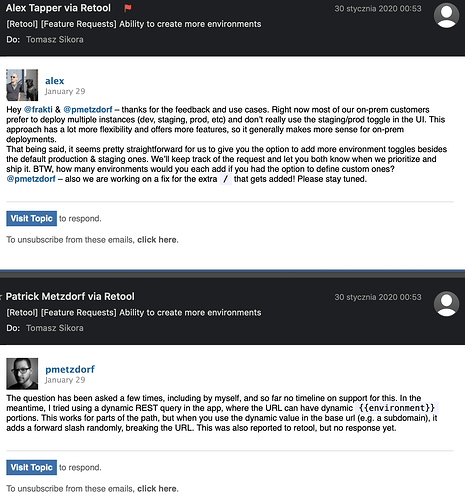
As of the most recent response in the community thread, native support for additional environments is not on the roadmap yet. That means if you need more than staging and production today, you're solving this yourself. The good news is the community has found a workable path forward.
The localStorage Environment-Switcher Workaround
This workaround was developed and documented in the Retool community forum. It uses a reusable module, a localStorage value, and a temporary state variable to simulate environment switching for API resources. Here's how to implement it step by step.
Step 1: Create a "Select Environment" module. Inside the module, add a dropdown component named env_selector. Set its values to your environment names: dev, staging, prod (or however many you need). Set the dropdown's default value to {{ localStorage.values.env }} so it persists across sessions.
Step 2: Add a script that runs on load and on dropdown change. Name it set_environment and use the following logic:
const urls = {
  dev: "https://dev.example.com",
  staging: "https://staging.example.com",
  prod: "https://example.com"
};
const env1 = env_selector.value;
const url = urls[env1];
state1.setValue(url);
localStorage.setValue("env", env1);
Note: avoid naming the local variable env — it conflicts with the module name when you drop it on a page.
Step 3: Create a temporary state variable. Add a temporary state named state1 to the module. Create a URL output on the module set to {{ state1.value }}. This is the value your resources will consume.
Step 4: Create a base backend resource with no URL. In Retool's resource settings, create a REST API resource and leave the base URL blank.
Step 5: Drop the module on every page and name it env. Once placed, use it in your queries like this:
{{ env.url }}/your-endpoint-here
Your queries will now resolve to the correct base URL based on whichever environment the user has selected. The selection is persisted in localStorage, so it survives page refreshes. This also works with the Retool query library if you pass the URL in as a variable.
Limitations of This Workaround
This approach gets you pretty far, but it's not a full replacement for native environment support. A few things to keep in mind:
- It only works cleanly with API/REST resources. Database connections (Postgres, MySQL, etc.) can't have their connection strings swapped at runtime the same way.
- There are no permissions controls. Any user can switch to any environment. Several community members have asked for environment-level permissions — for example, restricting end users to production only, or limiting new hires to dev and QA.
- It requires placing the module on every page, which adds maintenance overhead as your app grows.
- Global in-memory variables that resources can reference natively don't exist in Retool yet — which is exactly what would make this pattern trivial to implement at the platform level.
What Native Retool Multiple Environments Should Look Like
Based on community feedback, the ideal implementation would include: user-defined environment names, the ability to switch environments via URL parameter or in-app toggle, per-environment resource configuration (including database connections), and permission controls so you can restrict which users see which environments. A mockup shared in the thread even shows environments being disabled in the UI for users who don't have access — a clean UX pattern Retool already uses in other parts of the product.
Until that ships, the localStorage module workaround is the most practical path for teams that need to support multiple API backends from a single Retool instance. If your use case involves multiple database connections or strict environment isolation, your best option today remains separate Retool instances with git sync — painful as that is to maintain.
If you're building on Retool and this limitation is blocking your team, upvote the feature request in the Retool community thread and add your use case. The more concrete team scenarios are documented there, the stronger the signal to the product team.
Ready to build?
We scope, design, and ship your Retool app — fast.