Guides
How to List All Retool App Users in a Dropdown
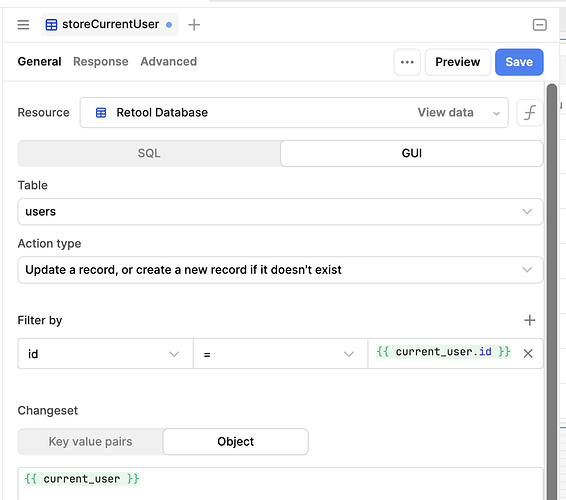
If you've tried to list all Retool app users inside an app — say, to populate a dropdown for assigning work items — you've probably already discovered that no native app_users object exists. Retool gives you current_user to reference the logged-in user, but there's no equivalent that returns all users in your Retool instance. This is a real gap that comes up constantly for teams building internal tools with assignment, routing, or delegation workflows. Here's the right way to solve it.
Why Retool Doesn't Expose an app_users Object Natively
This has been a long-standing feature request in the Retool community. The core reason Retool hasn't shipped a native app_users global object is a valid one: exposing a list of all users directly in the frontend JavaScript context creates a security surface that's hard to control. As one community member put it, allowing any user to enumerate every other user in the system via JavaScript — without an explicit server-side gate — opens up dangerous pathways. Retool's current_user is safe because it only exposes the currently authenticated session. A full user list is a different story.
That said, your use case is completely legitimate. Assigning a Retool user to a work item, saving their ID to an assigned_user column in a database, and pre-populating a select component on page load is a textbook internal tool pattern. You just need to wire it up yourself rather than relying on a built-in object.
The Correct Workaround: Query the Retool API for Users
Retool exposes a REST API that includes an endpoint for listing users in your organization. You can call this from a REST API resource inside your app and use the response to populate any component — including a Select or Multiselect dropdown.
Here's how to set it up step by step:
- Step 1 — Create a Retool API resource. Go to the Resources page in your Retool instance and add a new REST API resource. Set the base URL to
https://api.retool.com/api/v1(for cloud-hosted) or your self-hosted equivalent. Add anAuthorizationheader using an API key generated from your Retool organization settings under Settings → API Keys. Scope the key to read-only permissions if possible. - Step 2 — Create a query to fetch users. In your app, add a new query using that REST API resource. Set the method to
GETand the endpoint to/users. Name it something likegetAllUsers. Enable Run on page load so the data is ready when the app opens. - Step 3 — Map the response to your dropdown. Select your
Selectcomponent and set its data source to the query result. The response will contain user objects — map the label to{{ getAllUsers.data.users.map(u => u.name) }}and the value to{{ getAllUsers.data.users.map(u => u.id) }}. Adjust field names based on the actual API response shape for your Retool version. - Step 4 — Save the selected user to your database. When a user selects a name from the dropdown, capture the value (the user's ID) and write it to your database using a standard
INSERTorUPDATEquery. Store it in a column likeassigned_user_id. - Step 5 — Pre-populate on load. When your app loads a record, run a
SELECTquery to fetch the storedassigned_user_idand set the dropdown's default value to{{ getWorkItem.data.assigned_user_id }}. The dropdown will automatically highlight the previously assigned user.
What About Keeping a Separate Users Table?
Some developers mirror their Retool user list into their own database — a users table that gets synced periodically. It's not as elegant, but it has real advantages: you can add custom fields (team, role, department), you're not dependent on the Retool API staying stable, and you can join user data directly in SQL queries without a second API call. If your assignment workflow is complex, this approach scales better long-term. A simple nightly sync or webhook-triggered upsert keeps the table current.
Security Considerations You Shouldn't Skip
If you go the REST API route, keep these points in mind:
- Store your API key as a secret in the resource configuration, not hardcoded in a query or a
statevariable. Never expose it to the frontend. - The query runs server-side within Retool's query runner — the API key is not visible to end users in the browser.
- Restrict the API key's permissions to the minimum needed. If you only need to read users, don't issue a key with write access.
- If you're on a self-hosted instance, you can also query the Retool PostgreSQL database directly for user data — but this is only advisable if you have strict DB access controls in place.
Will Retool Ever Add Native app_users Support?
As of now, there are no confirmed plans from the Retool team to ship a native app_users global object. The feature request has been open for years. The workaround above — querying the Retool REST API from within your app — is the most robust solution available today and is safe when implemented correctly. If this is a feature you need, upvoting the thread on the Retool community forum is the best way to signal demand to the product team.
Bottom line: Retool won't hand you app_users out of the box, but with one REST API resource and a page-load query, you can have a fully functional user-assignment dropdown running in under 15 minutes.
Ready to build?
We scope, design, and ship your Retool app — fast.