Tutorials
Retool Bulk Update with a Composite Primary Key
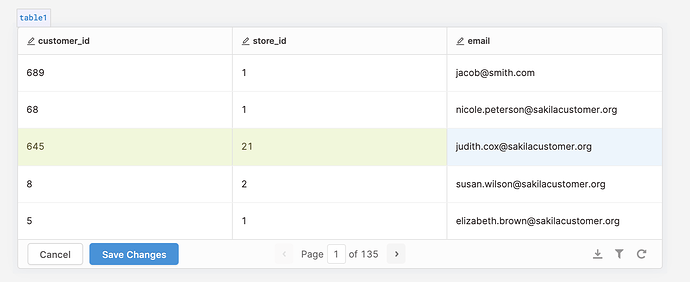
If you're trying to do a Retool bulk update with a composite primary key, you've already hit the wall: Retool's GUI-based bulk update only supports a single column as the primary key. The moment your table uses a composite primary key — common in relational join tables — the built-in option simply won't work. Here's exactly what to do instead.
Why Retool's Bulk Update Doesn't Support Composite Primary Keys
Retool's table component includes a convenient bulk update mode that tracks row changes and fires UPDATE statements automatically. However, it requires you to designate a single column as the primary key for identifying rows. If your table's primary key spans two or more columns — for example, (tablex_id, tabley_id) on a join table — there's no way to express that in the GUI. Retool simply has no multi-column key selector in its bulk update settings.
This is a known limitation. The GUI is optimized for the simple case. For composite keys, you need to drop down to raw SQL.
The Workaround: Run Arbitrary SQL via the Query Editor
The fix is to bypass the GUI bulk update entirely and write a manual UPDATE query in Retool's SQL editor. This gives you full control over the WHERE clause, so you can match rows using all the columns that make up your composite key.
Here's the pattern for a join table with a composite primary key:
UPDATE table_xy_join SET value = 'new value' WHERE tablex_id = {{ x_id }} AND tabley_id = {{ y_id }}
You wire {{ x_id }} and {{ y_id }} to your table component's selected row or any other UI input. Retool evaluates the mustache expressions at query runtime, so the values are injected safely before execution.
How to Bulk Update from recordUpdates with a Composite Key
If you want to replicate the behavior of the built-in bulk update — only sending changed rows — you need to iterate over the table component's recordUpdates array. Here's how to do it step by step.
- Step 1: In your table component settings, make sure Editable is turned on. This enables change tracking and populates
{{ yourTable.recordUpdates }}with only the rows the user has modified. - Step 2: Create a new SQL query resource in Retool. Select your database resource. Make sure it is connected with write access (not read-only) so that
UPDATEstatements are permitted. - Step 3: Switch the query to use a Prepared Statement or switch to GUI mode with "Run query on page load" disabled, then write your parameterized bulk update using Retool's
{{ }}syntax to loop over changed records. - Step 4: Use the following query pattern to iterate over
recordUpdatesand build a bulk update using all composite key columns:
{{ yourTable.recordUpdates.map(row => `UPDATE table_xy_join SET value = '${row.value}' WHERE tablex_id = ${row.tablex_id} AND tabley_id = ${row.tabley_id}`).join('; ') }}
- Step 5: Trigger this query from a Save button component using its
onClickevent handler. That way the bulk update only fires when the user explicitly confirms their changes — not on every keystroke. - Step 6: Chain a table refresh query after the save completes. In the query's Success event, trigger your data-fetching query to re-run so the table reflects the latest database state.
A Note on Read vs. Write Resource Connections
When you connect a data source in Retool, you may see two options: a read connection and a read/write connection. The naming is slightly misleading — you technically can run write queries through a "read" resource if the underlying database user has write permissions. However, the cleaner and more intentional approach is to use a resource that is explicitly configured with write access for any queries that modify data. This keeps your intent clear and makes permission auditing easier down the line.
When to Consider Adding a Surrogate Key Instead
If you find yourself frequently needing to bulk update a join table, it might be worth adding a surrogate id column — a simple auto-incrementing integer or UUID — to the table. This single column can then serve as the primary key in Retool's GUI bulk update, while your original composite key remains in place as a unique constraint. The tradeoff is a small amount of schema overhead in exchange for a much smoother Retool integration. For tables that are heavily edited through internal tools, this is often worth it.
Summary
Retool's built-in bulk update doesn't support composite primary keys — full stop. Your two real options are: write a manual UPDATE query in the SQL editor that uses all composite key columns in the WHERE clause, or iterate over {{ yourTable.recordUpdates }} to build a parameterized bulk update that only touches changed rows. Either approach works reliably; the recordUpdates pattern is the closer equivalent to the native bulk update behavior and is what you should reach for in production Retool apps.
Ready to build?
We scope, design, and ship your Retool app — fast.