Guides
Connecting Retool to MongoDB Atlas Serverless: What to Know
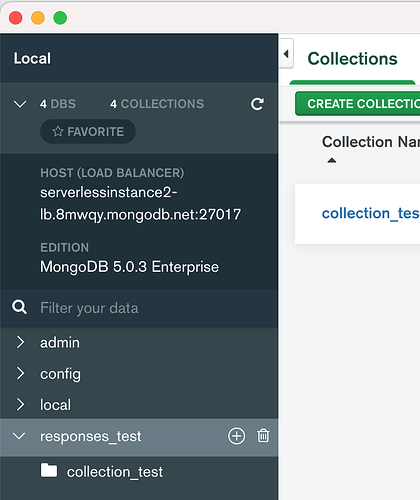
If you're trying to connect Retool to MongoDB Atlas Serverless and running into a wall, this post is for you. Specifically, if your connection string looks something like mongodb+srv://user:password@serverlessinstance.mongodb.net/myDatabase?retryWrites=true&w=majority and Retool throws back the error "Saving failed. Text record must only set authSource or replicaSet" — that's not a misconfiguration on your end. It's a known compatibility issue between Retool's MongoDB driver and the MongoDB Atlas Serverless platform.
What Is the "Text Record Must Only Set authSource or replicaSet" Error?
This error surfaces when you paste a MongoDB Atlas Serverless connection string into Retool's resource configuration screen. It doesn't matter whether you're on Retool Cloud or self-hosting — the error appears in both environments. The connection string itself is valid and works fine in other tools like MongoDB Compass or directly in your application code. The problem is specific to how Retool's underlying MongoDB SDK parses and validates the DNS TXT records associated with Atlas Serverless instances.
Atlas Serverless instances include additional parameters in their SRV DNS TXT records that go beyond the two fields — authSource and replicaSet — that Retool's current MongoDB driver version accepts. When the driver encounters those extra fields, it rejects the connection entirely and surfaces that error message.
Why Can't Retool Just Fix This Quickly?
This is a fair question, and the Retool team has been transparent about it in their community forum. The fix requires updating the core MongoDB SDK that Retool uses internally. That SDK update introduces breaking changes to common query patterns that many existing Retool apps rely on. That means before Retool can ship the SDK upgrade, they need to:
- Audit and test all existing MongoDB query behavior in Retool
- Identify which query patterns would break after the SDK bump
- Build migration paths or compatibility shims for affected users
- Coordinate the rollout carefully to avoid breaking production apps
It's not a one-line dependency bump — it's a carefully managed migration. As of the time of writing, Retool has confirmed this is in their queue but has not committed to a release timeline.
Which MongoDB Cluster Types Does Retool Support Right Now?
Retool currently supports connecting to:
- MongoDB Atlas Dedicated clusters (M10 and above)
- MongoDB Atlas Shared clusters (M0, M2, M5 — free and low-cost tiers)
What it does not currently support is MongoDB Atlas Serverless instances — the pay-per-operation, auto-scaling instance type that MongoDB launched as a fully managed option. If your connection string hostname contains a pattern like *.mongodb.net with a serverless instance identifier, Retool will fail to save the resource.
Workarounds to Try Right Now
There's no clean workaround that lets you connect directly to a Serverless instance from Retool today, but here are your practical options:
- Migrate to a Dedicated or Shared Atlas cluster. If your workload allows it, switch from a Serverless instance to an M0 (free) or M10+ (dedicated) cluster. These connection strings are fully compatible with Retool's MongoDB resource. This is the most straightforward fix.
- Use a backend API as a middleware layer. Stand up a small REST or GraphQL API (Node.js, Python, etc.) that connects to your MongoDB Atlas Serverless instance and exposes the data you need. Then connect Retool to that API using a
REST APIresource. It adds a layer, but it unblocks you immediately. - Use Retool's Query JSON with SQL resource. If you're already pulling data into another system that syncs from MongoDB, you may be able to query it from there instead.
- Watch the community thread for updates. The Retool team has linked this issue internally and has committed to posting updates in the original community thread when the SDK migration is prioritized. Drop a +1 reply there to signal demand — it helps with prioritization.
How to Set Up a MongoDB Atlas Shared Cluster as a Retool Resource
If you're switching to a Shared or Dedicated cluster as your workaround, here's how to connect it in Retool:
- In your MongoDB Atlas dashboard, navigate to Database and click Connect on your cluster (make sure it's a Shared or Dedicated cluster, not Serverless).
- Choose Connect your application and copy the connection string. It will look like:
mongodb+srv://username:password@cluster0.abc123.mongodb.net/myDatabase?retryWrites=true&w=majority - In Retool, go to Resources → Create New → MongoDB.
- Paste the connection string into the
Connection string (SRV)field, replacingpasswordwith your actual database user password and updating the database name. - Click Test connection. If the cluster type is supported, you'll see a green success message.
- Save the resource and start building queries against it in your Retool app.
Bottom Line
Connecting Retool to MongoDB Atlas Serverless is not currently possible due to an SDK-level compatibility issue. The error "Text record must only set authSource or replicaSet" is a confirmed bug, not a configuration mistake. Your best immediate path forward is to migrate to a Shared or Dedicated Atlas cluster, or route your MongoDB Serverless data through a lightweight API that Retool can consume. Keep an eye on the Retool community thread for official updates as the team works through the SDK migration. If this is a blocker for you, add your voice to that thread — it directly influences how Retool prioritizes the fix.
Ready to build?
We scope, design, and ship your Retool app — fast.